ChatGPT in your accounting firm: how to use AI without exposing your clients' data
A single copy and paste can cost your firm a client. The data traffic light, pseudonymization and the checklist I teach so an accounting team can benefit from AI without putting client information at risk.
In short
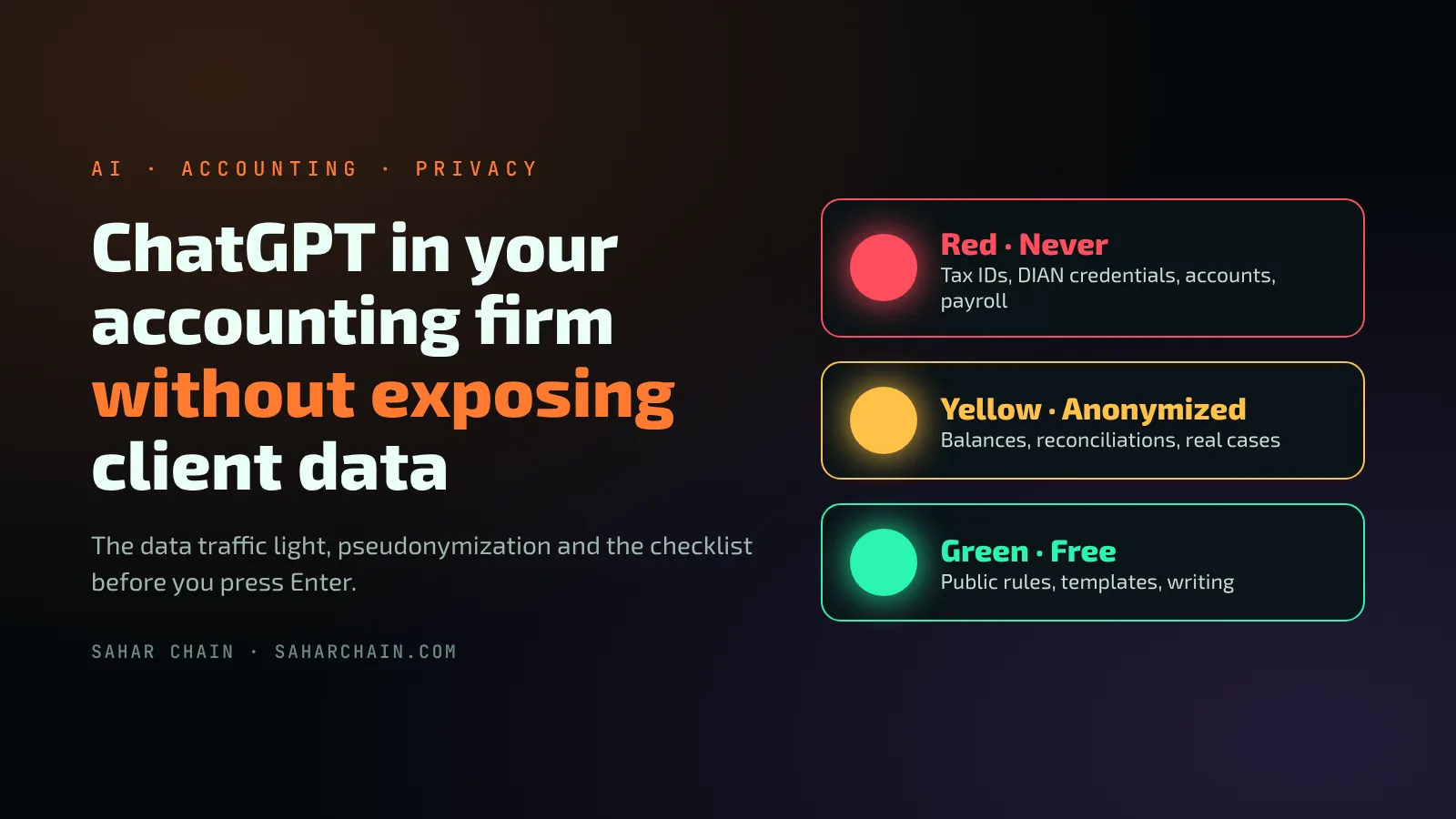
- Classify information with a traffic light: red is never shared, yellow only anonymized and green is free.
- Pseudonymize before asking for help: labels like "Client A" and the lookup table kept outside the AI.
- Work in the firm's corporate account, with its privacy controls, never in a personal one.
- AI proposes and the accountant decides: regulations and figures are always checked at the source.
It is four in the afternoon, the close is due tomorrow and someone on the team pastes a client's bank statement into ChatGPT to get help with the reconciliation. The answer arrives in seconds. The problem is not the answer: it is what was just shared.
Artificial intelligence does save an accounting firm hours. The question is no longer whether to use it, but how to use it without exposing client information. This is the method I teach when I train accounting teams: six technical rules and a checklist that fits on a sticky note.
The real risk is not AI: it is copy and paste
Once data leaves the firm's systems, it is no longer under its control. If a personal account is used, without the privacy controls of a business account, the firm does not even know what was shared. And responsibility does not shift to the tool: in Colombia, the personal data protection law (Law 1581 of 2012) still applies to whoever received the client's data.
AI proposes. The accountant decides.
1. Classify your data with a traffic light
Before writing any prompt, the team needs to know which color each type of information falls under. That way the decision is immediate and does not depend on each person's judgment.
Red · Never
- Client names, tax IDs, national IDs and contact details.
- Tax authority (DIAN) usernames, passwords and electronic signatures.
- Bank account numbers, cards and statements.
- Insurance policies and beneficiaries' details.
- Payrolls with real names and salaries.
- Access to accounting software.
Yellow · Anonymized only
- Trial balances and financial statements.
- Reconciliations and outstanding items.
- Specific tax cases.
- Client emails and requests.
Green · Free
- Public regulations and rulings.
- Blank templates and internal procedures without data.
- Writing, spelling and tone.
- Excel formulas and concept explanations.
2. Pseudonymize before asking for help
Yellow information can be worked on with AI once whatever identifies the client is removed. The technique is called pseudonymization: every name, ID or account number is replaced by a fixed label, and the table that says who is who stays in the firm's Excel or system, never in the conversation with the AI.
Not like this:
"Review the reconciliation for [real client name], tax ID [real number], account [real number]…"

Like this:
"Review Client A's reconciliation. There are 3 unidentified deposits and 2 uncashed checks. What steps should I follow to balance it?"
- Always use the same label for the same client within a conversation.
- If you only need the method, replace figures with sample or rounded values.
- Share the structure (a report's columns), not the data (its rows).
3. Set up the tool as a company, not as a person
- Work only in the corporate workspace the firm manages, never in personal accounts.
- Review privacy and data retention settings with the administrator. According to OpenAI, in its business plans data is not used to train its models by default.
- Turn on two-step verification on every account.
- Do not upload client files as knowledge for custom GPTs.
- Define who grants and removes access, and remove it the same day someone leaves the team.
4. Write prompts that do not need sensitive data
A good prompt provides context, task, format and criteria. With that structure, AI delivers a useful result without you having to paste real documents.
ROLE: You are an accounting assistant for a firm in Colombia.
CONTEXT: Client A, a company under the standard tax regime.
TASK: Prepare a checklist for the monthly close.
FORMAT: Table with activity, owner and deadline.
CRITERIA: Flag which items I should validate against current regulations.
A trick that always surprises people in workshops is metaprompting: before running the task, you ask the AI itself to improve your instructions and tell you what information it is missing.
5. Verify everything: AI makes mistakes too
- Check every regulation, article or date against the official source, such as the DIAN.
- Recalculate figures in Excel before using them.
- Distrust any data you cannot verify.
- Review the output as you would review a new assistant's work.
6. Put the rules in writing and train the team
Rules only work if the whole team knows them and applies them the same way. That is how I approached a two-hour workshop with an accounting and tax outsourcing firm that had just adopted ChatGPT Work: eight people, four who already used AI and four who did not. Exercises were split by level, but the privacy rules were the same for everyone and were put in writing for the trial period.
To complement it, I designed six custom GPTs, one per area: tax, accounting close, payroll, audit, management and one for improving prompts. Each one carries its area's context, so no one has to repeat it in every conversation. The session closed with a Kahoot-style assessment to check that the rules were clear.
Checklist before you press Enter
- Are there client names, tax IDs, national IDs or contact details?
- Are there passwords, account numbers or policy details?
- Am I in the firm's corporate account?
- Could I achieve the same with labels or sample figures?
- Will I verify the answer before using it?